• Create
  • Scan
0 / 5596
The data capacity of a QR code depends on the entered text charset and the error correction level.
The table below shows the maximum number of characters that can be stored for each encoding mode and error correction level.
ModeLMQH
Numeric7089559639933057
Alphanumeric4296339124201852
Byte2953233116631273
Encoding modes are used to store data more efficiently. The list of supported modes is provided in the table below:
ModeCharacter setCompression
Numeric0, 1, 2, 3, 4, 5, 6, 7, 8, 93 digits per 10 bits
Alphanumeric0-9, A-Z (uppercase letters only), space, $, %, *, +, -, ., /, :2 chars per 11 bits
ByteCharacters from the UTF-8 charsetEach char occupies 8 bits or more
The optimal encoding mode is selected automatically based on the data entered.
QR code versions range from 1 to 40. Each version has a different number of modules (black and white dots), which define the image dimensions. For version 1, the size is 21×21; for version 2, it’s 25×25; and so on. The higher the version, the more data can be stored, and the larger the QR code image becomes.
The lowest possible QR code version is selected automatically based on the data entered.
The error correction feature allows QR codes to be scanned successfully, even if they are dirty or damaged. Higher levels provide better error tolerance but reduce data capacity.
If the probability of QR code damage is low (for example, if it is displayed on a monitor), the Low or Medium levels are safe to use.
The possible levels are shown below:
LevelError resistance
L (Low)~7%
M (Medium) default~15%
Q (Quartile)~25%
H (High)~30%
The percentage indicates the maximum obscure area beyond which the QR code becomes unscannable.
The error correction level is automatically boosted while preserving the same module count (the QR code version).
pixels per width
You can specify the total image width in pixels or the module (dot) size. The image width will then be calculated based on the number of modules and the margin.
The height of the image is proportional to the width, maintaining the aspect ratio.
The module size cannot be smaller than 3 px × 3 px. To meet this requirement, the output image size is limited to a minimum value.
modules
A QR code margin—also called a quiet zone—is the blank space required around a QR code for it to be scanned correctly. Standard QR codes have a minimum margin of 4 modules (dots) on all sides.
You may still choose to set the margin to 0 if you plan to add it later.
#000000
Marker border Custom marker color Marker center Custom marker center color
Dot scale
Draw white dots
If you want to set a dark background or image, enable the white dot drawing option in the section above.
#ffffff
Scale down the logo
At a scale of 100%, the logo will be at its largest size, possibly exceeding the maximum obscure area, beyond which the QR code becomes unscannable. It is recommended to set this value below 50% to ensure better QR code error resistance. Margin around the logo
px
Remove dots behind the logo
QR code
Suggested Variations [Classic]
Suggested Variations [Artistic]
Download History

History is empty

The total number of history entries is 0. Only the last 20 are kept.

QR Code Expert – Free Online QR Code Generator (Ad-Free, No Login Required)

Create high-quality, customizable, and beautiful QR codes online with zero ads and no account required. QR Code Expert offers a powerful design tool, advanced styles, and secure link handling—perfect for marketing, business, branding, packaging, events, and digital content.

Core Features

100% Ad-Free & No Login Required

Generate unlimited QR codes without interruptions, signups, or pop-ups.
Unmodified Links

Your URLs remain unaltered—no hidden redirects, no link rewriting, and no unwanted tracking.

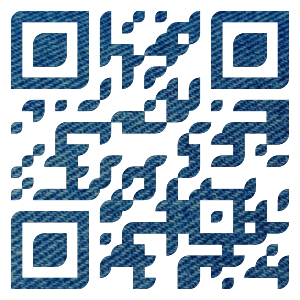
Classic & Artistic QR Code Styles

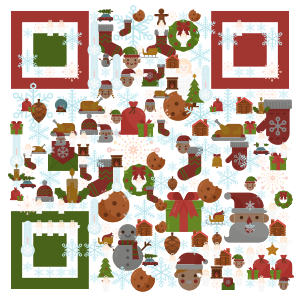
Create standard professional QR codes or upgrade to artistic, visually rich designs ideal for branding and promotions.
Advanced Customization Options

color1
Custom colors & gradients
color2
Dot & marker pattern selection
overlay
Dot overlay image
circle
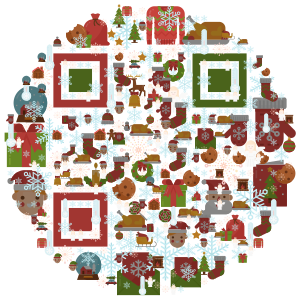
Circular QR code shape
logo
Add a logo to the QR code
inversed
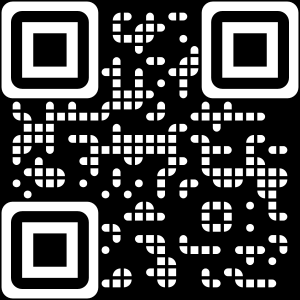
Inverted style (black background with white dots)
Animated GIF background for eye-catching animated QR codes

Multiple Download Formats

Export your QR code in SVG, PNG, TXT, and other popular formats for print or digital use.
Beautiful QR Code Examples

animalschristmasclothesdesktopdogsflagsfruits & vegetableshalloweenhotellovemarioorigamipumpkins
Have any suggestions or need help? Email us at help@qrcode.expert.
By using our website / PWA, you acknowledge that you have read and understand these Terms of Use and Privacy Policy.